Sai cosa puoi connettere al tuo server Windows remoto con qualsiasi dispositivo IOS o Android? È facile da fare con questo semplice manuale. Tutto ciò di cui hai bisogno è scaricare un po' di software sul tuo dispositivo.
Se non hai ancora ottenuto il tuo VPS, ordina prima un server virtuale . Tieni presente che dovrai installare il sistema operativo Windows per poter utilizzare la funzione RDP.
Imposta la connessione RDP per il sistema operativo Android o iOS
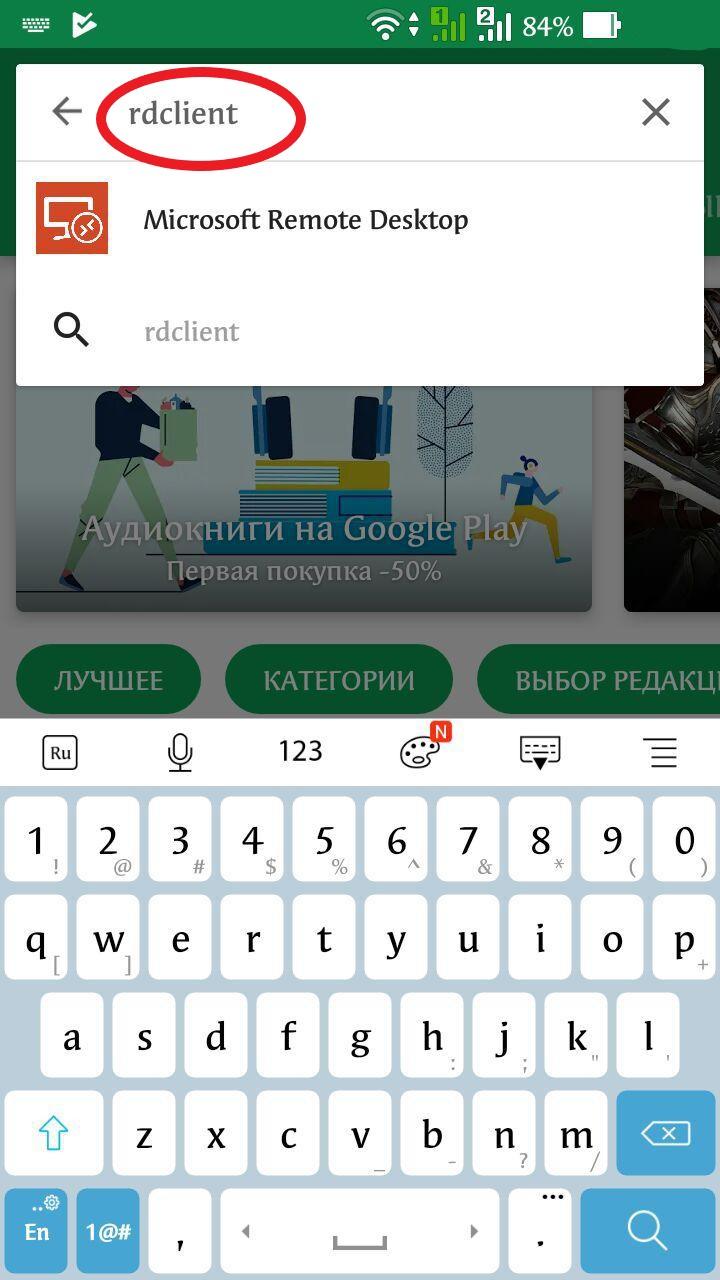
1. Prima di tutto devi scaricare l'applicazione RDClient. Questo è uno screenshot di esempio da Android Play Market, per IOS devi andare su App Store e cercare l'app RD Client. Installala e segui la stessa configurazione fornita qui.
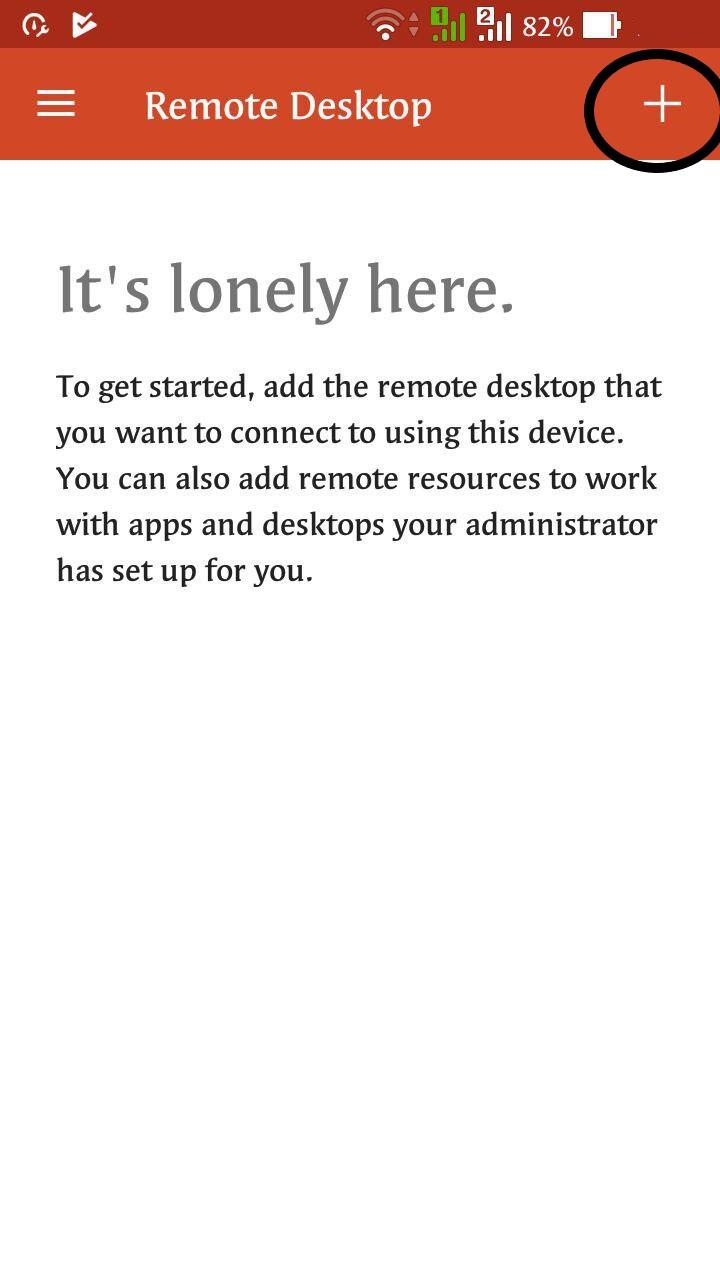
2. Eseguilo e aggiungi una nuova connessione premendo PIÙ
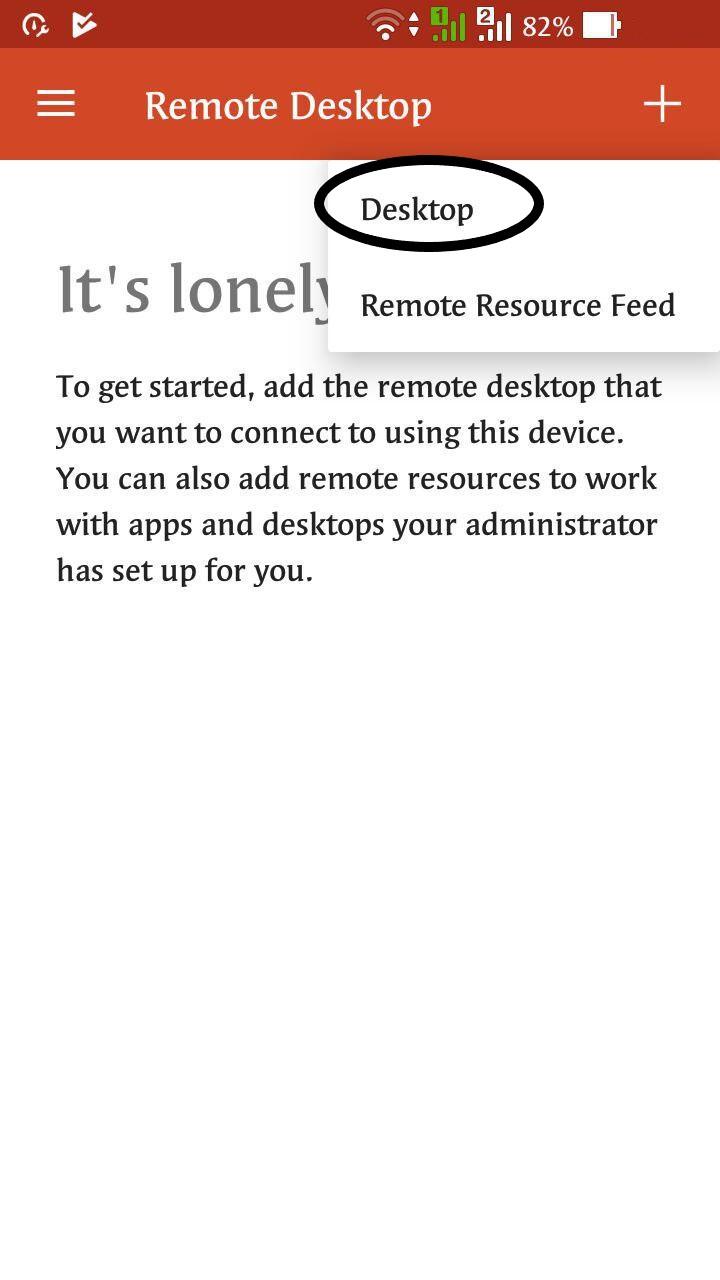
3. Quindi seleziona Desktop
4. Dopo aver scritto l'indirizzo IP del tuo server, seleziona se vuoi scrivere questo dato ogni volta che ti connetti o se preferisci salvarlo sul dispositivo.
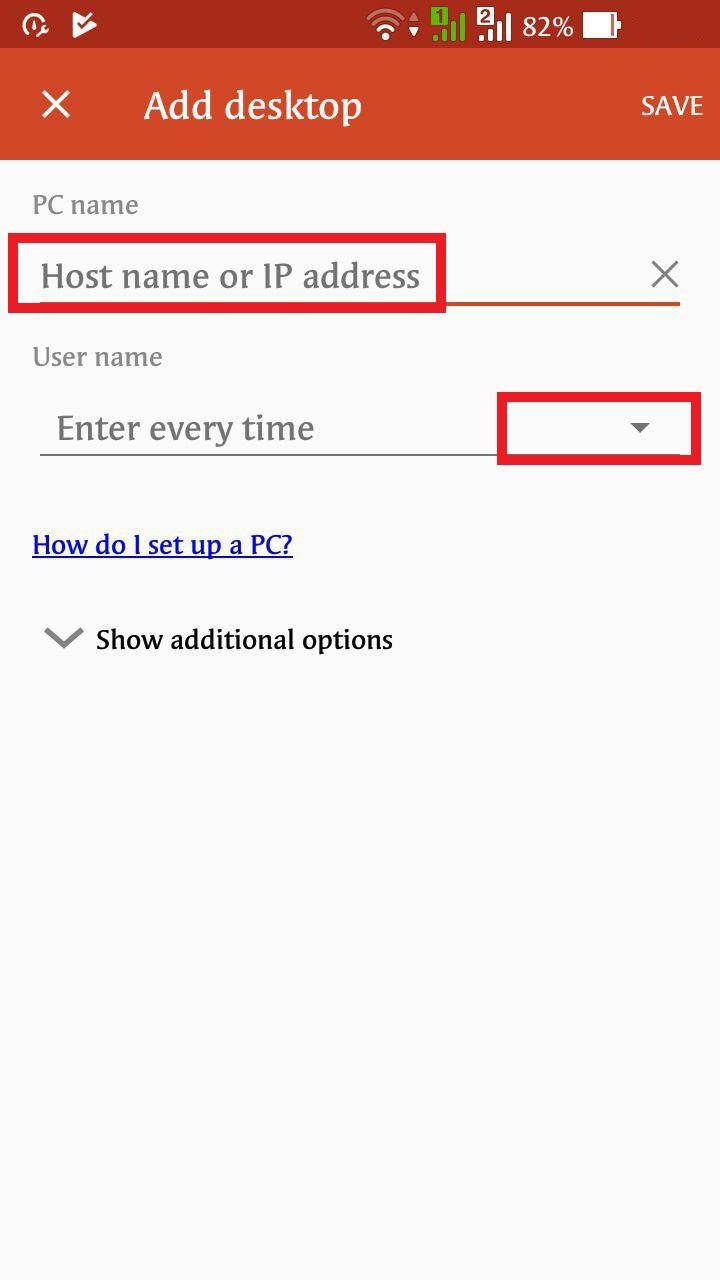
5. Scrivi Login / Password
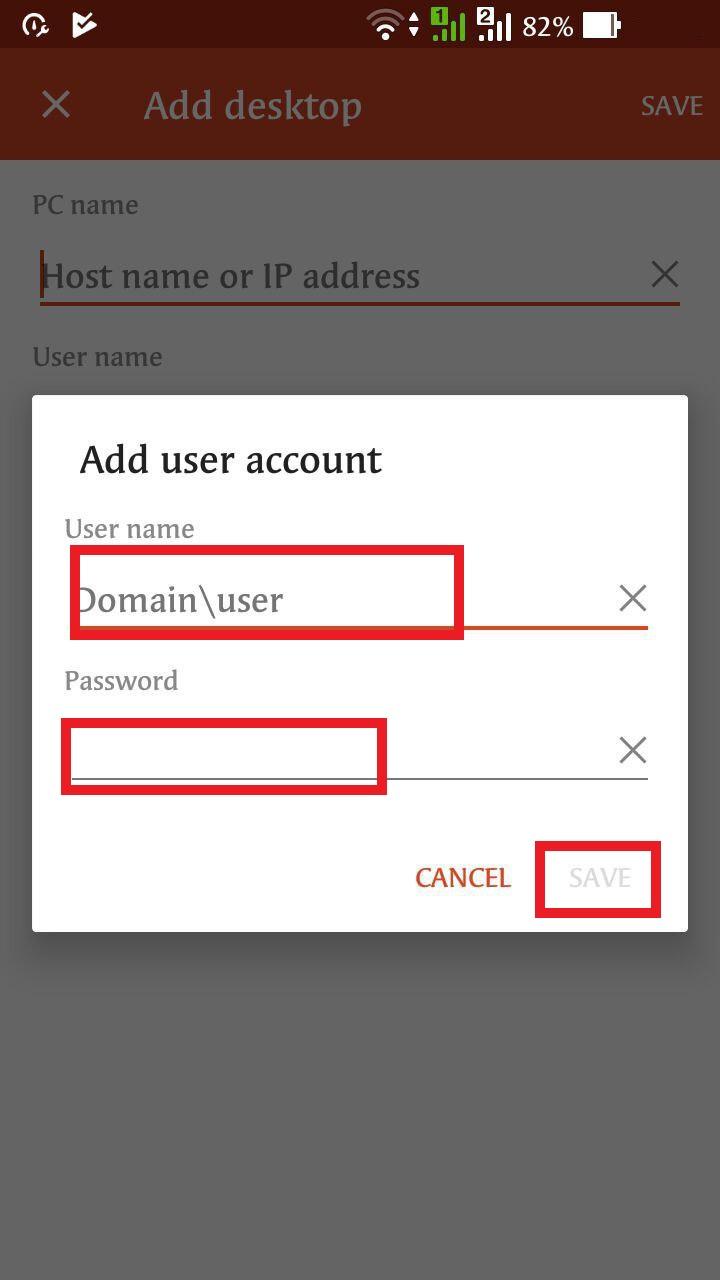
6. Seleziona la voce che ti serve la connessione Display.
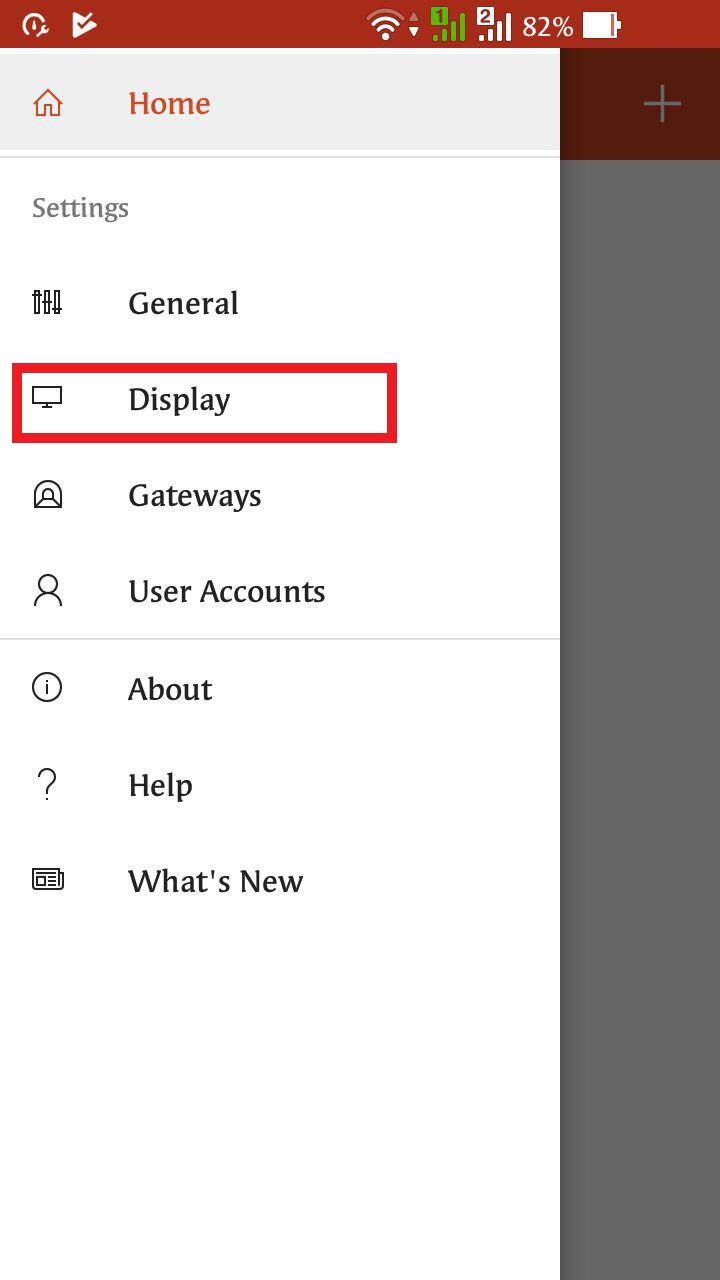
7. Nell'ultimo passaggio è necessario accettare il certificato.
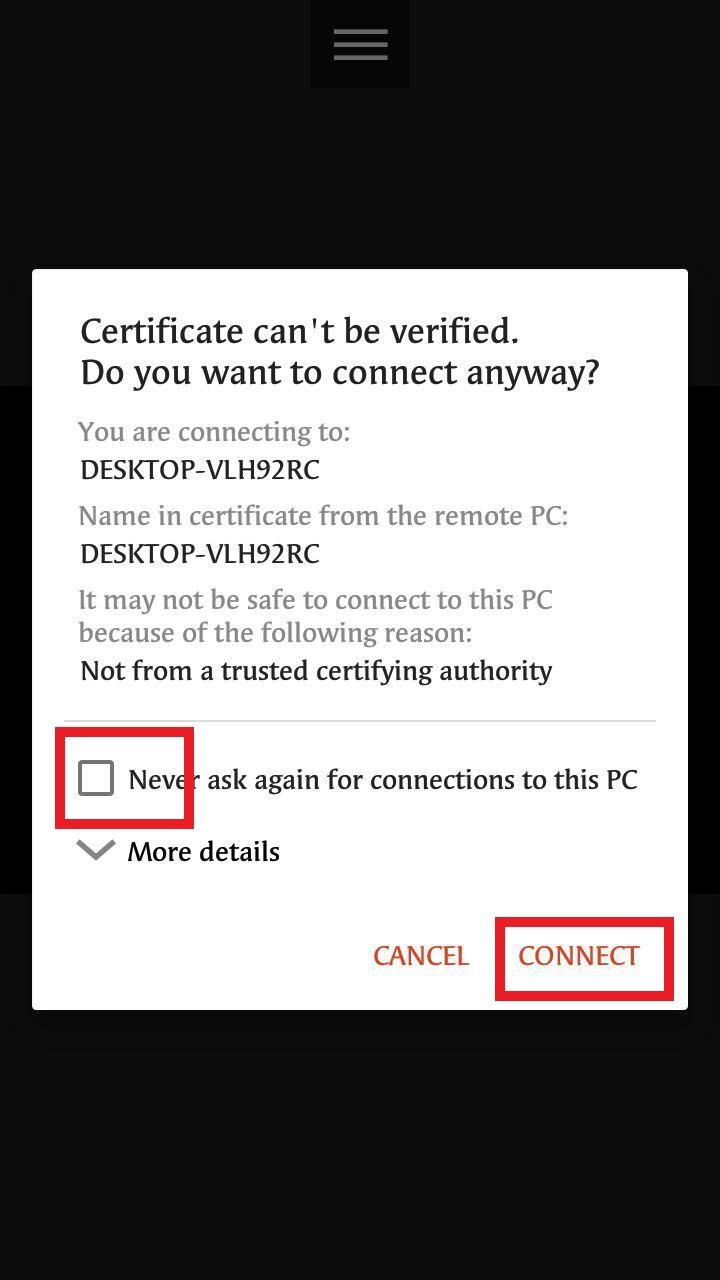
8. Dopodiché puoi connetterti al server Windows RDP dal tuo dispositivo Android o iOS.
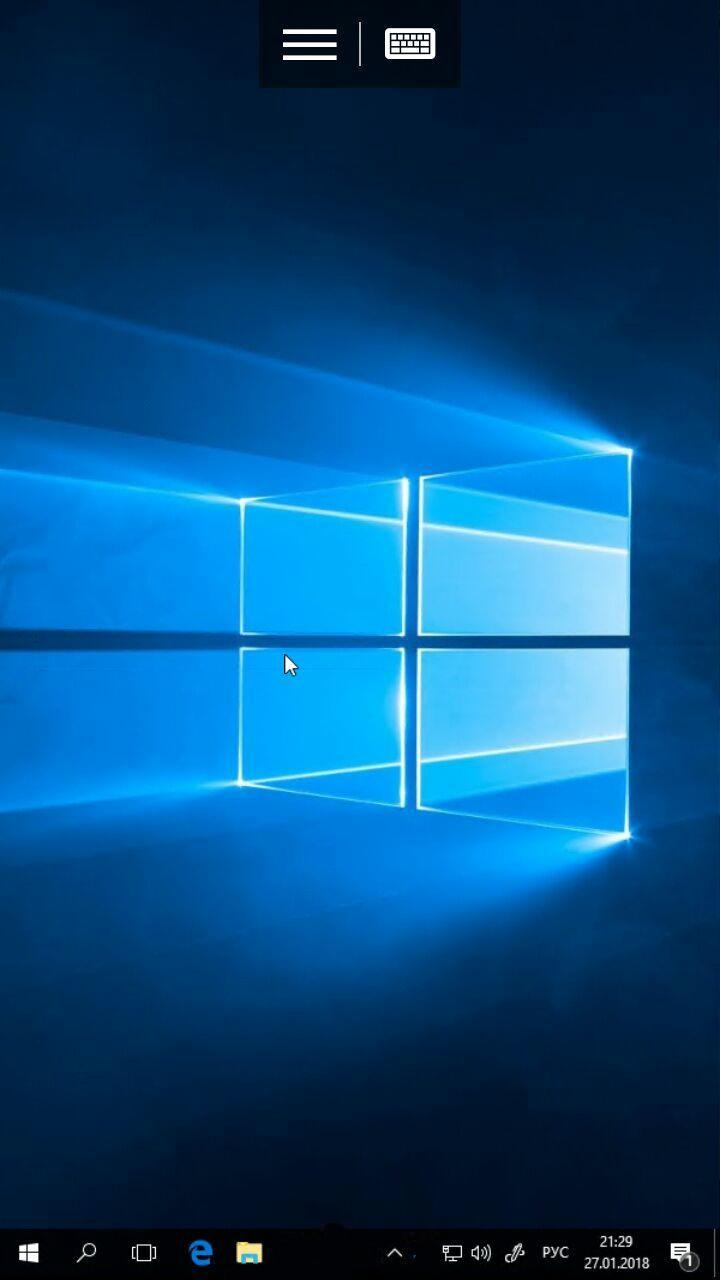
Ben fatto!