What is this used for? A regular DNS record maps a domain name to an IP address, while a PTR record in the Reverse DNS (rDNS) zone maps an IP address back to a domain name.
It is primarily used to validate mail servers (as an anti‑spam measure) and to verify the authenticity of a host.
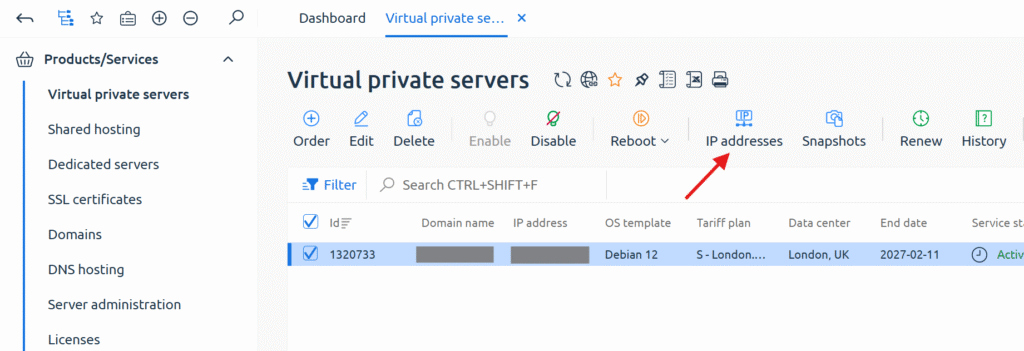
To modify a PTR record, go to the server control panel, select the required server, and then open the “IP addresses” section.
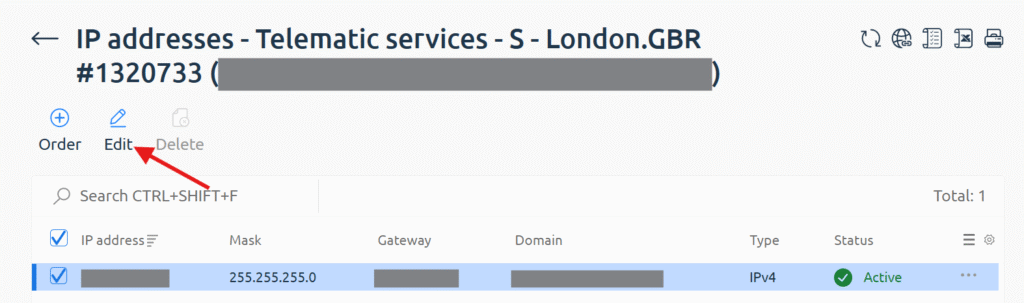
After that, select the required IP address and click “Edit”.
Next, specify the domain name and save the changes.
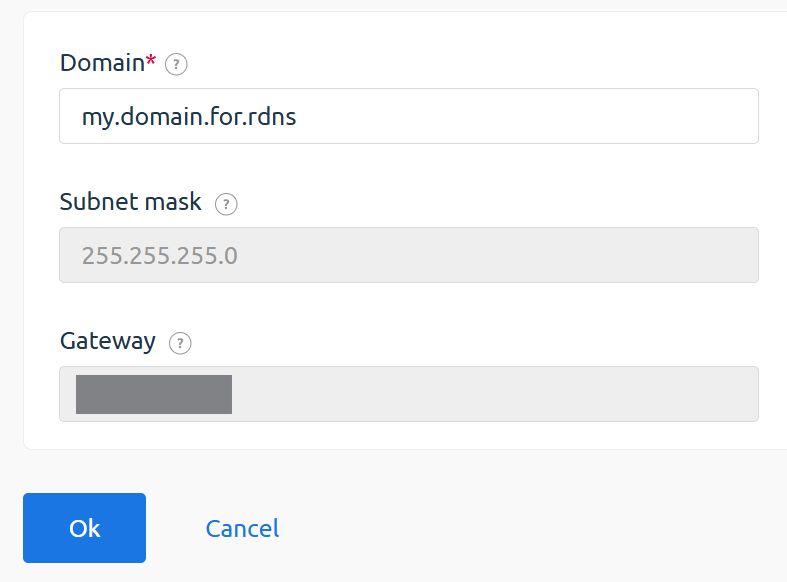
Done. The changes will take effect within a few hours.
If no changes are visible by the second day, please contact technical support.
❮ Previous article
SystemRescue and Recovery Mode